





Every required document is filed. Your completeness score looks solid. But when someone asks you to walk through the study, the story falls apart. The protocol is in one section, the IRB approval is in another, and the safety reports live in a system that does not appear anywhere in your TMF.
You start explaining. That is the problem.
Inspectors do not grade on effort. They follow evidence. If the evidence does not connect, you are the connection, and that is not a position you want to be in.
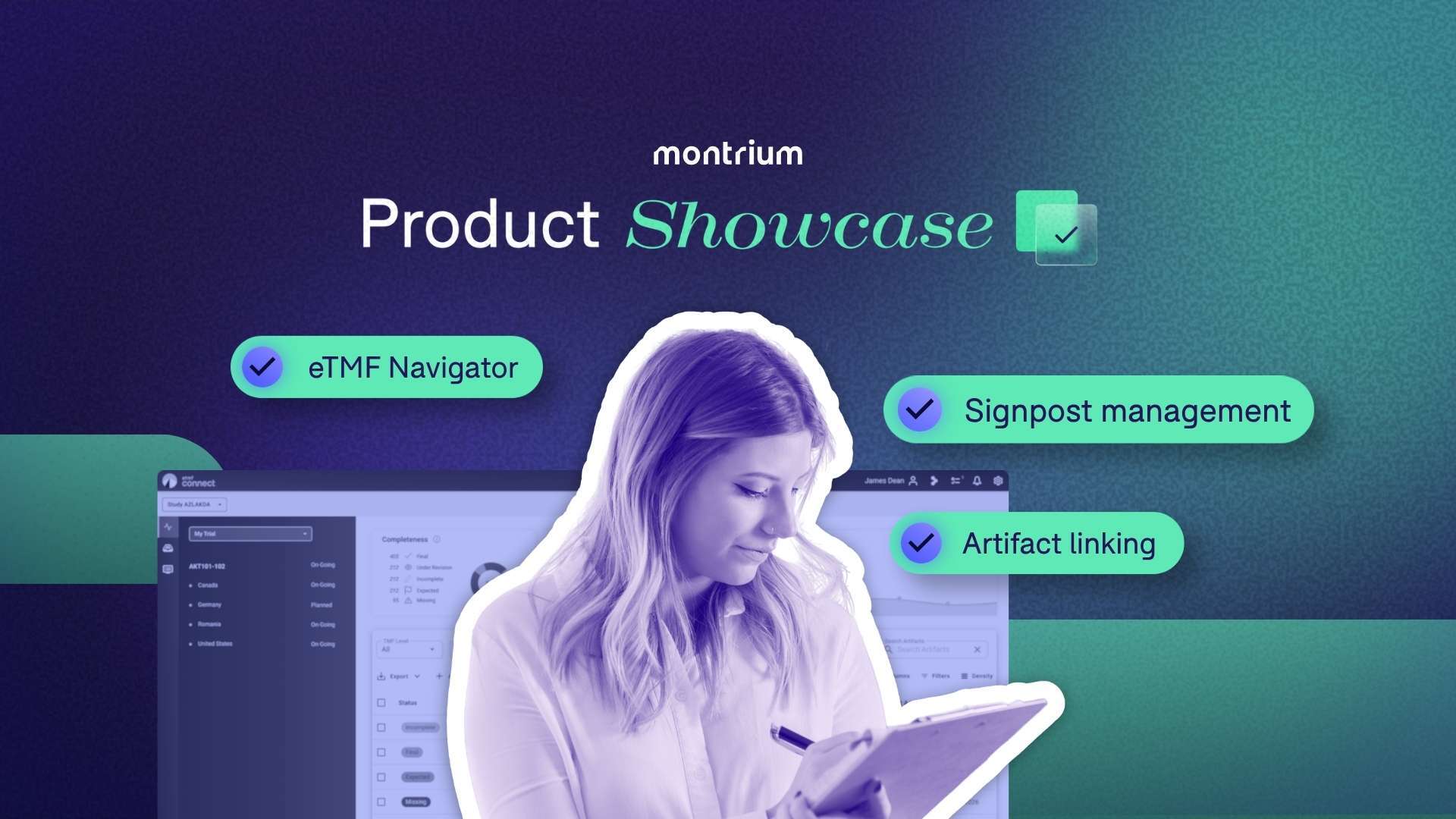
eTMF Connect addresses this directly, through four capabilities built around the same question: can an inspector follow your study without your help?
Watch the full product showcase to see all four features demonstrated in eTMF Connect.
Artifact Linking
Related documents rarely live in the same place. A protocol amendment files separately from the protocol it changes. An IRB approval has no visible connection to the consent version it covers. Every document is filed correctly. Nothing points to anything else.
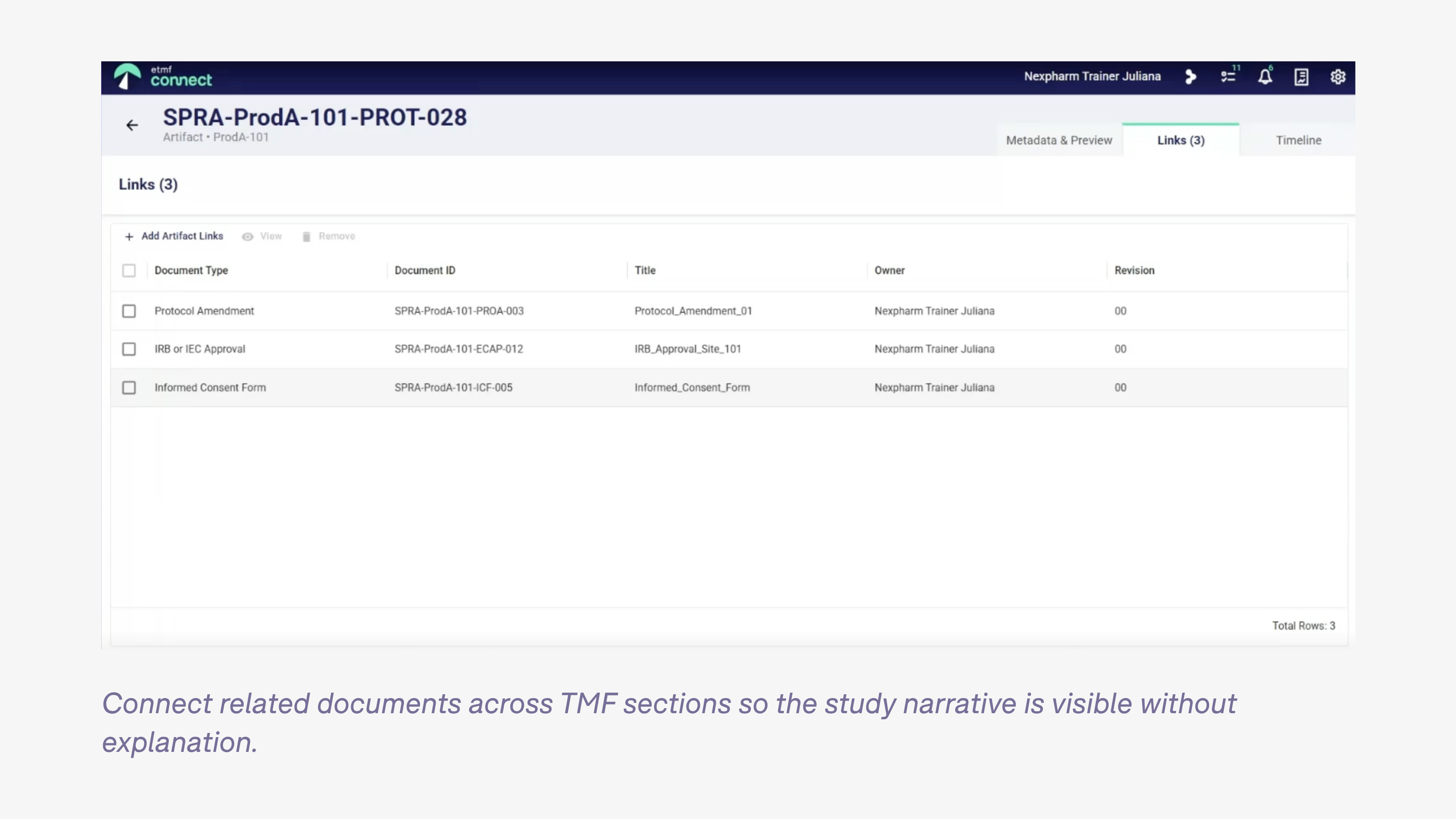
Artifact linking lets you connect related documents across TMF sections, regardless of where they are filed. Open the protocol in the navigator and you see, in the metadata panel, exactly which documents it is linked to: the amendment, the applicable approvals, the site activation records. The inspector sees the same thing. The relationship is in the file. You do not need to explain it.
Each document supports up to 15 links within a study. Links are bidirectional. Adding one takes seconds. The study narrative is visible to anyone who opens it. You do not need to be on the team that built it.
Signpost Management
Safety reports are the clearest example of a document that exists, is compliant, and is completely invisible in the TMF. Many sponsors keep them in a dedicated safety system. That is a legitimate choice. From an inspector's view, though, invisible equals missing.
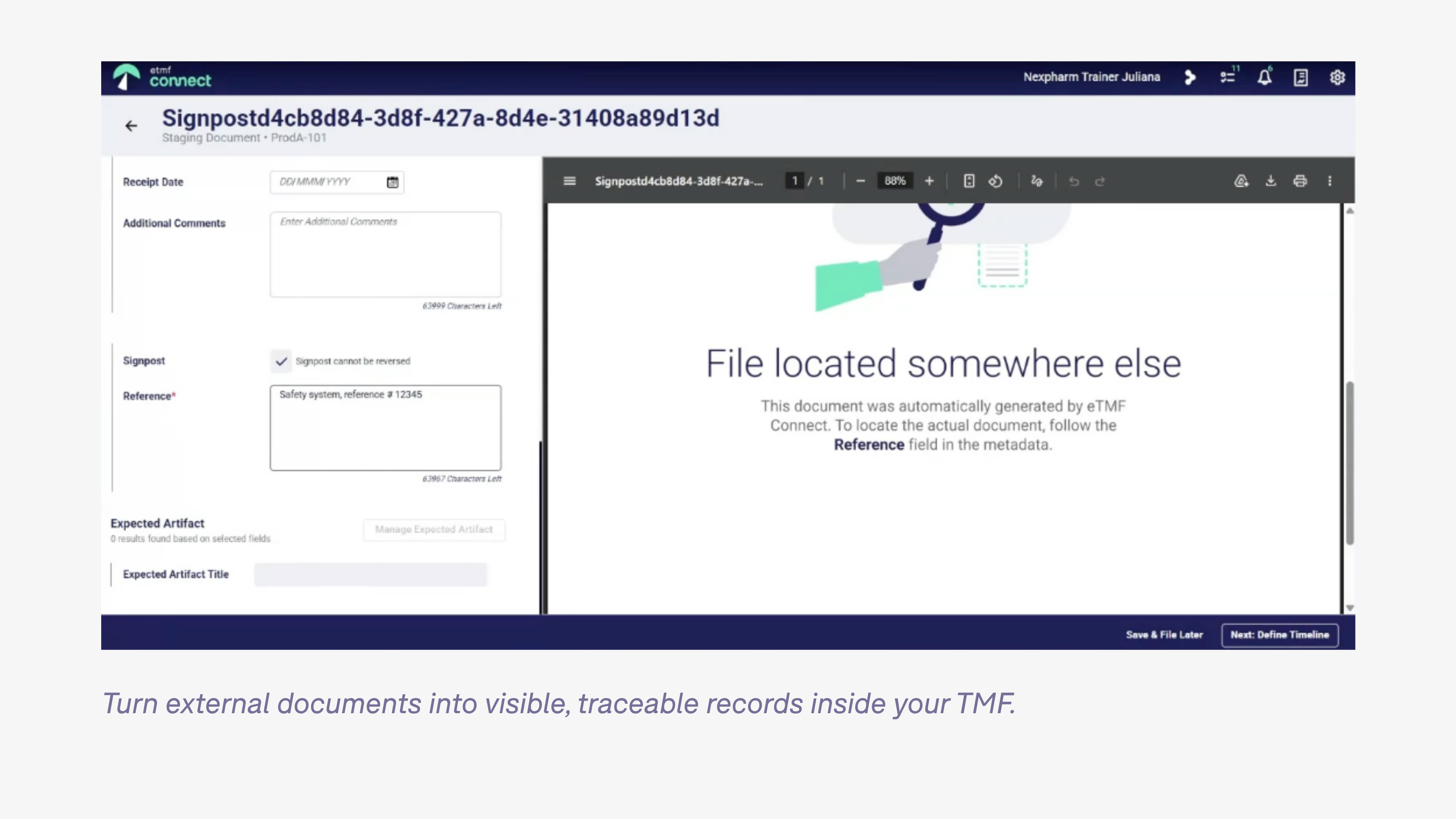
A signpost is an official pointer. You create it in the staging area, populate the metadata, and enter a reference to where the actual document lives. The signpost files into the navigator like any other document. The inspector sees that the document was expected, that it exists, and where to find it. The gap is documented rather than silent.
Signposts are part of completeness reporting. Inspectors with final-access permissions see them. You filter the navigator by signpost to get a full inventory of what is stored elsewhere. A documented pointer is defensible. An empty slot is not.
Expected Artifact List
One of the harder inspection questions is this: how do you know that what you planned for this study matches what you actually filed?
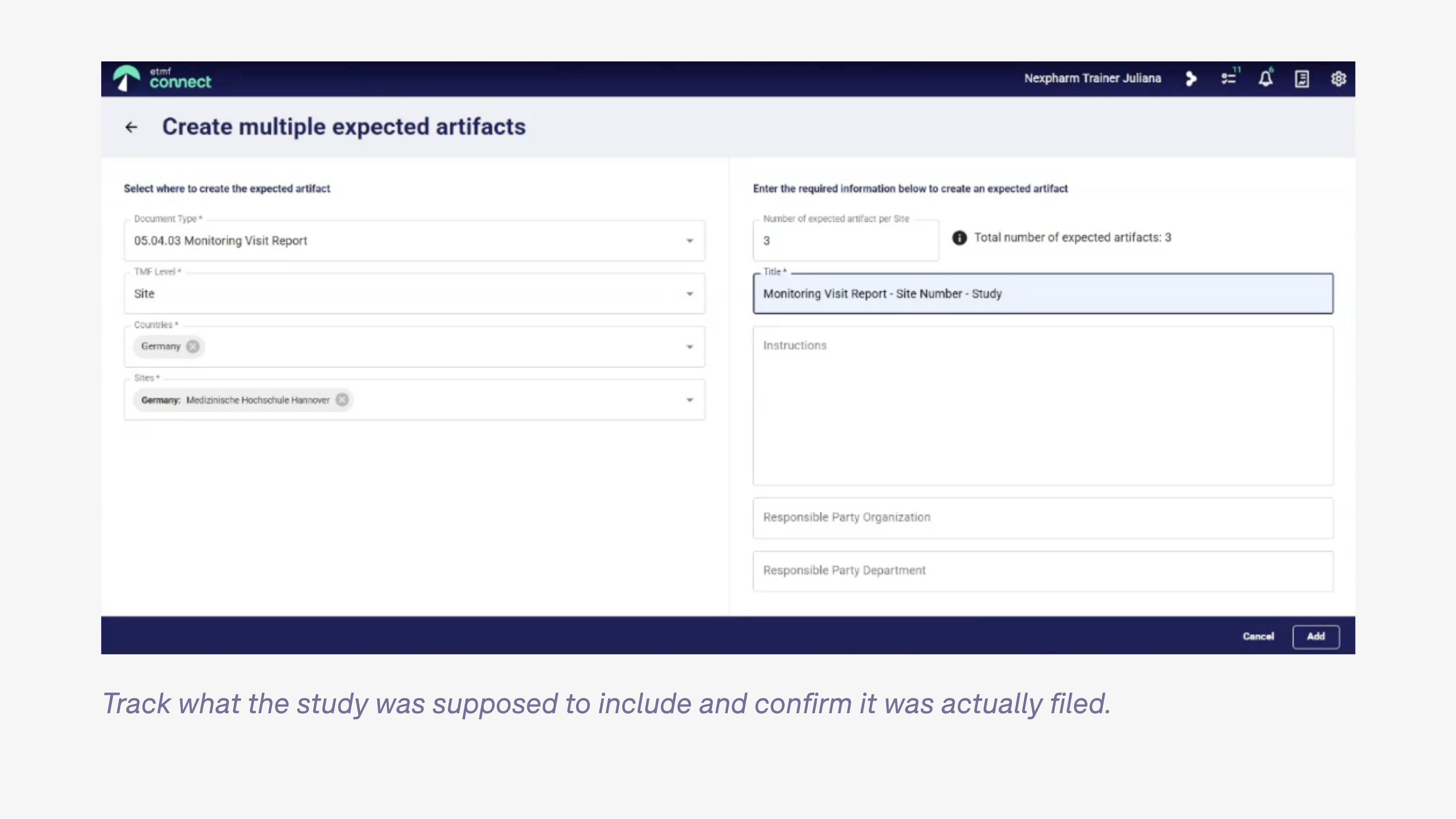
The expected artifact list is your answer. As the study progresses and scope becomes clearer, you add placeholders for the documents you are anticipating. A 1572 tells you a site in Germany will receive three monitoring visits. You add three expected placeholders for monitoring visit reports at that site, with naming conventions and responsible party already defined. Completeness is now measured against what was actually planned.
Placeholders are editable throughout the study. If the Germany site ends up with two visits, you remove one. If scope changes, you update the instructions before anyone files anything. When a site falls behind, you export the expected and missing list and send it directly to them without requiring TMF access on their end.
At inspection, you are not reconstructing what was planned. You have a record of it.
eTMF Navigator
The navigator is where everything comes together. It gives your team a real-time view of completeness across the study, by country and by site: what is final, what is incomplete, what is expected, what is missing. For incomplete documents, a current activity column shows exactly where they are in the workflow.
Document workflows in eTMF Connect support electronic signatures through Adobe Acrobat. The system is 21 CFR Part 11 compliant, and each signature carries a stamp with the signer's name, reason for signing, and timestamp. That audit trail is visible in the navigator alongside the document status.
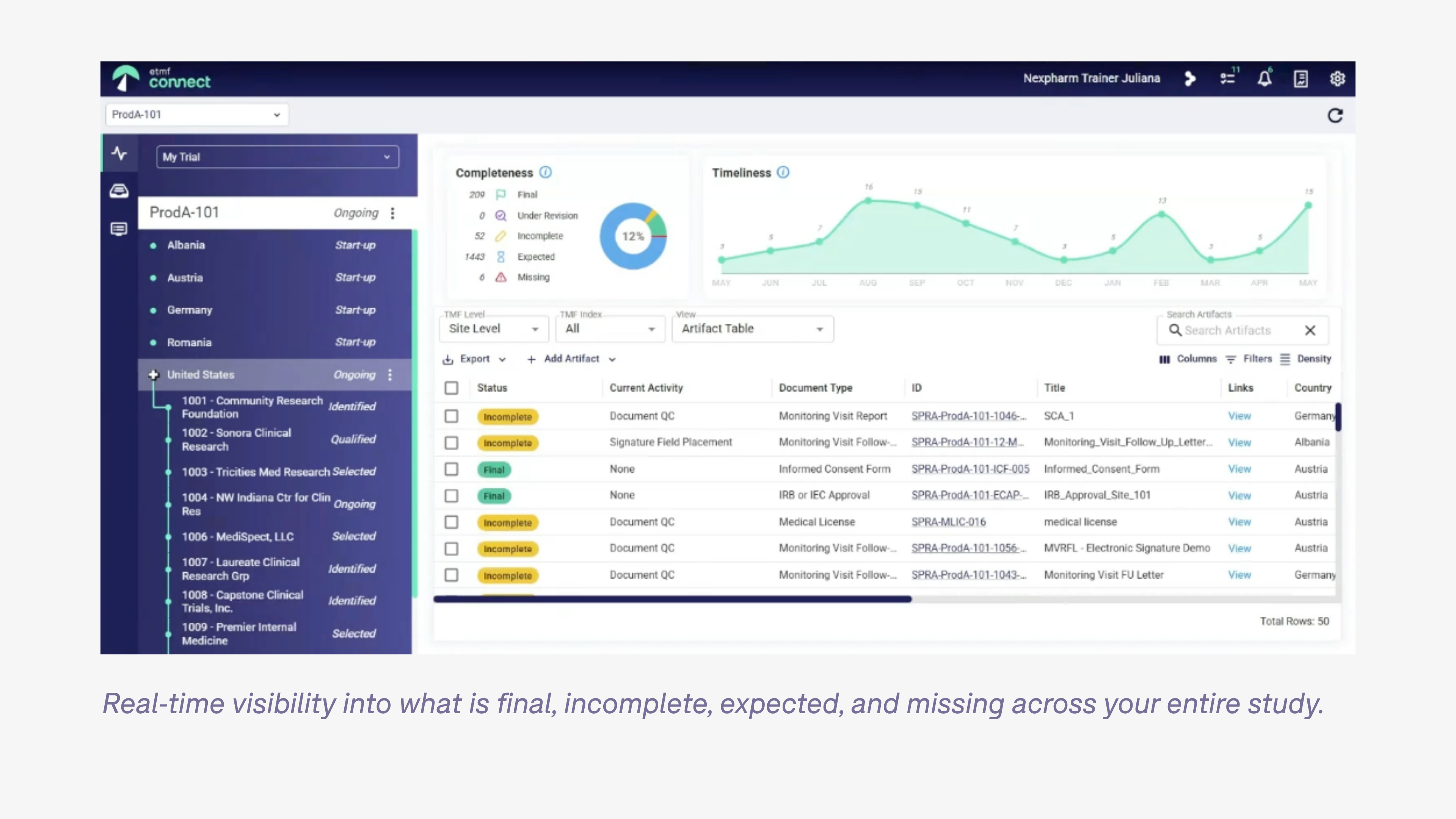
The timeliness graph is worth paying attention to. A straight upload line across the study lifecycle means documents are being filed as work happens. A spike before an inspection means cleanup is happening after the fact. Inspectors know the difference.
When an inspector is granted access, they see a filtered view: final documents and signposts only. No incomplete items, no placeholders, no completeness dashboard, no timeliness graph. What they see is the filed record as it stands. You go into the inspection knowing exactly what that looks like, because you have seen the same view.

The distinction that matters
Completeness metrics tell you whether documents exist. They do not tell you whether an inspector can follow the study. Those are two different questions, and most teams discover the gap between them during audit prep, or during the inspection itself.
These four capabilities address that gap directly:
- relationships that are visible in the file
- external documents that appear in the inventory
- a planning record that evolves with the study
- a real-time view of exactly what an inspector will see
Together, they make inspection readiness an ongoing condition rather than a last-minute effort.
"These aren't just features. They're really the answer to the question inspectors actually ask, which is: can I follow this TMF?"
Bart Budyn, Account Executive, Montrium
If you are building your eTMF from the ground up, these are the right decisions to make at study startup. The filing conventions, the signpost protocols, the placeholder structure: all of it is significantly easier to get right at the beginning than to fix under pressure before an inspection.
And because ICH E6(R3) places oversight responsibility on the sponsor, that structure needs to support more than document filing. Study Oversight in eTMF Connect gives you a documented record of oversight for each study, so you can see and demonstrate how oversight is being managed. See the workflow.
The best way to assess whether eTMF Connect fits your situation is to see it against your own study structure. Book a demo with the Montrium team to do that.
Questions from our community
These questions came in during the live session. They reflect what teams are actually thinking about when they consider how inspection readiness works in practice.
Is the link visible from both sides, or only from the document where you created it?
Both sides. If you link a protocol to an IRB approval, the IRB approval shows the protocol in its links tab as well. Every artifact link is bidirectional, so the relationship is visible regardless of which document an inspector or team member opens first.
Does a signpost give the inspector direct access to the document in the external system?
No. A signpost is a pointer, not a portal. It tells the inspector the document exists, where it lives, and how to locate it. You include a reference ID or URL in the free-text field to make that as specific as possible, but access to the external system is managed separately. The signpost makes the document visible in the TMF. Access is a separate permission question.
At the end of a study, when a safety system closes and reports transfer into the TMF, what happens to the signposts?
It depends on how your organization wants to handle final document location. If you are comfortable uploading safety reports directly into the TMF at closeout, the signpost is replaced by the actual document. If you prefer to keep them in the safety system permanently, the signpost remains the TMF record, updated to reflect final location and status. Either approach is defensible. The signpost is what makes the document visible during the study.
Inspection readiness depends on the quality of placeholders. What controls do you recommend?
A regular review cadence is the most practical control: weekly, biweekly, or monthly checks on what is expected and what is missing, with direct follow-up to the responsible sites or parties. Sites do not need TMF access to participate. You export the expected and missing list and send it to them directly. Beyond the cadence, the placeholder itself needs to carry enough information to be useful: a clear naming convention, an assigned responsible party, and specific filing instructions. A placeholder with none of that does not help anyone file correctly.
Is it possible to give inspectors visibility into incomplete documents, not just final ones?
Not currently. Inspector access in eTMF Connect is scoped to final documents and signposts only. The permission model is built on the assumption that inspectors see the filed record, not work in progress. If your inspection workflow requires a different configuration, that is worth raising directly with the Montrium team as a product feedback item.


.png)

%20(1).jpg)


%20asks%20for%20in%20TMF%20oversight.jpg)
-1.png)